Robot Collision Detection
When the robot encounters an unexpected external influence or abnormal state, it automatically detects it and stops the motion. The setting method for using the collision detection function is as shown in the image below.
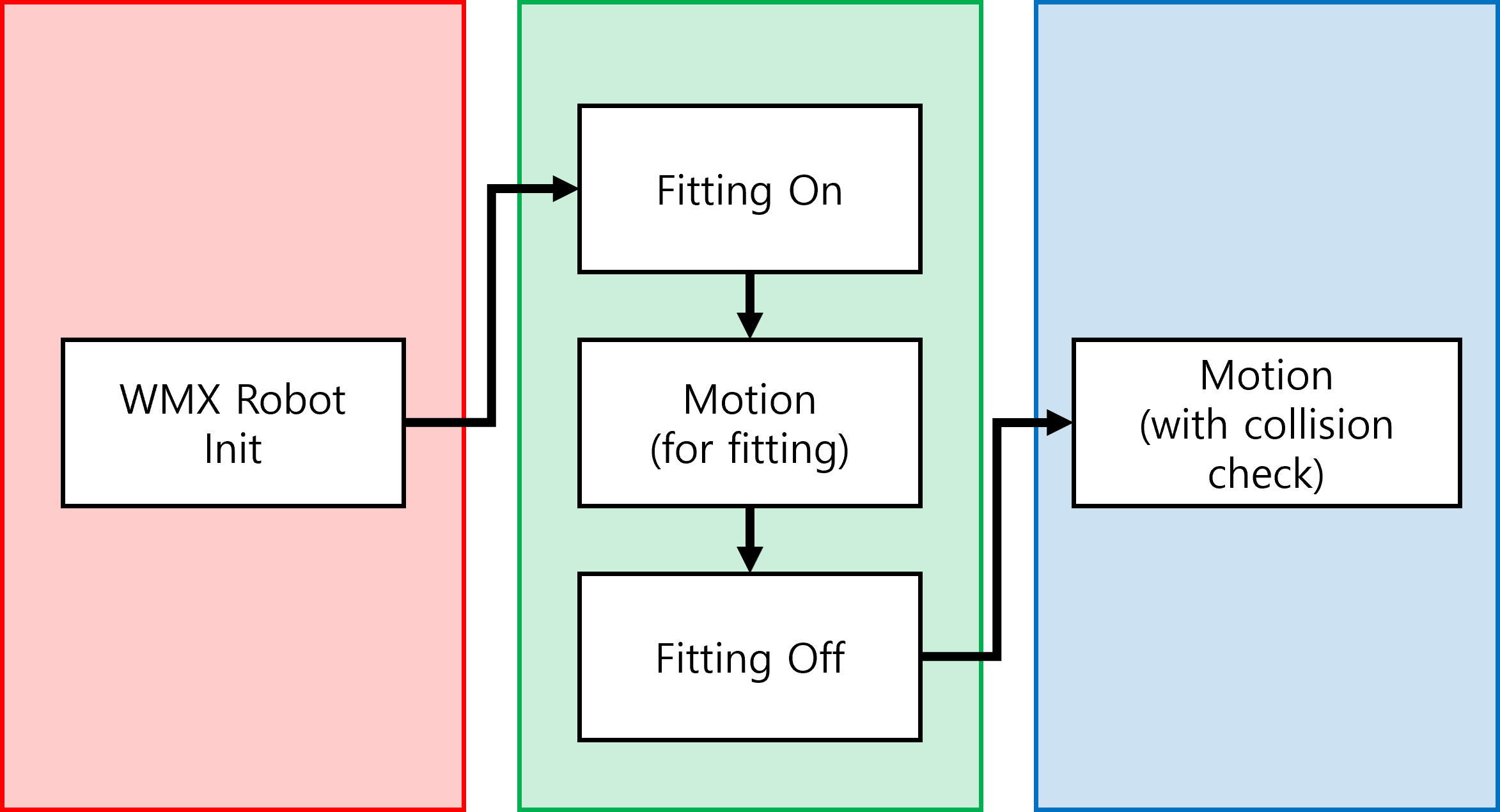
Items required for collision detection function
To implement the collision detection function, the following conditions must be met to use the collision detection function.
A URDF or XML file containing the inertia information of all each link must be prepared.
It must be possible to read the real-time current feedback value of each joint motor from the WMX system.
You must enter the information of the tool attached to the end of the robot.
If you enter the tool information in the URDF or XML file, you can load the robot information including the tool information without any separate work.
If you enter tool information including the inertia matrix, you can set the tool information using the SetToolInfo api.
If you enter tool information excluding the inertia matrix, you can set the tool information using the SetToolInfo api. At this time, the entered tool information is applied assuming it is a point mass.
The values of the robot’s reference coordinate system (BaseJointCoordinate) must all be 0.
RobotMotionParam.robotParam.baseJointCoordinate.point.x = 0.0;
RobotMotionParam.robotParam.baseJointCoordinate.point.y = 0.0;
RobotMotionParam.robotParam.baseJointCoordinate.point.z = 0.0;
RobotMotionParam.robotParam.baseJointCoordinate.rotation.u = 0.0;
RobotMotionParam.robotParam.baseJointCoordinate.rotation.v = 0.0;
RobotMotionParam.robotParam.baseJointCoordinate.rotation.w = 0.0;
Preliminary setup work for using the collision detection function
The collision detection function analyzes real-time data collected by the system while the robot is performing a planned motion, and immediately stops the motion if it detects a situation that cannot occur in normal operation. Therefore, to use this function, the robot’s inertia and motor characteristics must be reflected in WMX.
WMX supports a function that automatically reflects the characteristics of the robot and each motor, and the corresponding function can be used in the following way.
Measurement and calculation of motor and robot characteristics
// Enable the fitting function using the FittingOnOff api
ret = robotMotionLib.mKinematics.SetFittingOn(robotID, true);

// Robot motion sequence
robotMotionLib.mKinematics.StartPTPPos(...);
robotMotionLib.mKinematics.Wait(...);

// Disable the fitting function
ret = robotMotionLib.mKinematics.SetFittingOn(robotID, false);

// Calculate parameters using the measured motor state with the CalcFittingData api
ret = robotMotionLib.mKinematics.CalcFittingData(robotID);

// Erase parameters using the measured motor state with the CalcFittingData api
ret = robotMotionLib.mKinematics.ClearFittingData(robotID);
User setting and import of Fitting parameters
// Set fitting parameters
ret = robotMotionLib.mKinematics.SetFittingData(robotID, jointID, fittingData);

// Get fitting parameters
ret = robotMotionLib.mKinematics.GetFittingData(robotID, jointID, fittingData);
How to use the collision detection function
To enable and disable the collision detection function, you can enable and disable the collision detection function using the following function.
wmx3Api::kinematics::CollisionParam collisionParam;
collisionParam.thresHold = 20.0;    // Nm unit

// Enable Collision Detection
collisionParam.enable = true;
ret = robotMotionLib.mKinematics.SetCollisionParam(robotID, collisionParam);

// Disable Collision Detection
collisionParam.enable = false;
ret = robotMotionLib.mKinematics.SetCollisionParam(robotID, collisionParam);